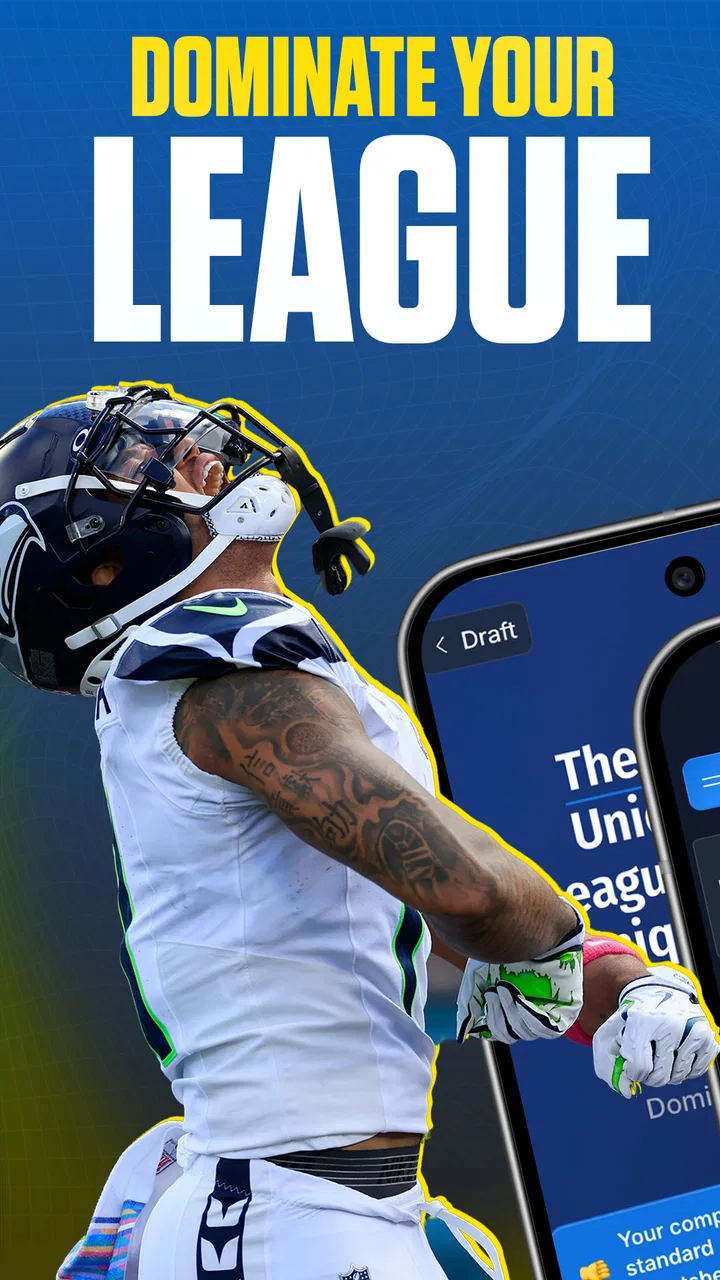
Draft Dominator
- 4.0
- Rating
- 10.00K
- Installs
- Free
- Price

 Analysis by App-foxy
Drafting a fantasy football team on a phone can be exciting, but it can also become messy when player news changes, league settings differ, and the clock keeps moving. I spent time with Draft Dominator, the free Sports app from Footballguys, to see whether it genuinely helps during that pressure or simply adds another screen to manage. My overall impression is that it is most useful as a preparation and decision-support tool, especially for managers who want more structure than a basic player list offers.
The app is aimed at people who take their fantasy draft seriously without necessarily wanting to build their own spreadsheets. Its central promise is straightforward: help you make better choices for your own league rather than follow a generic ranking list. That distinction matters. A player who looks valuable in a general ranking may be a poor pick once roster limits, scoring rules, positional needs, and the behavior of your league are taken into account.
I also found that the experience depends heavily on when and where you use it. During a calm preparation session, the app feels much easier to understand. During a live draft, it becomes more sensitive to network conditions, screen space, and the speed at which you can update your decisions. That makes connectivity part of the practical review, not just a technical footnote.
You May Also Like

 Blood Strike: 2.5 Anniversary
Blood Strike’s Loadouts Turn Every Drop Into a Tactical Gamble
A close look at Blood Strike’s custom loadouts: how fast access to signature weapons reshapes its battle royale rhythm, rewards preparation, and narrows the gap between fights.

 Pandora - Music & Podcasts
Pandora’s Music Is Easy to Start, but Harder to Recover
Pandora’s strength is its low-effort path from a seed to a station. Its weak spot is how much confidence it asks you to place in connection, setup, and quiet recovery.

 8 Ball Pool
 Is Built on Rivalries, Rematches, and Routine
A close look at the rivalries, rematches, shared routines, and unanswered safety questions that turn a quick pool match into a persistent mobile community.

 Samsung Music
’s Quiet Strength Is Playing What You Already Own
Its reach comes less from spectacle than from dependable access to a personal library. That simplicity is both the app’s strongest retention engine and its ceiling.

 AccuWeather: Weather Radar
AccuWeather Review: A Quick, Clear Forecast for Everyday Decisions
For everyday plans, the best forecast is the one you can understand quickly. AccuWeather makes rain timing, radar, and local conditions easy to act on, with a few trade-offs.

 Hill Climb Racing
Why Hill Climb Racing Still Turns Crashes Into One More Run
A tiny car, a bumpy hill and one more upgrade: Hill Climb Racing keeps resurfacing because its simple chaos makes every near-miss feel personal.
More From Our News Desk
View All News


How Draft Dominator fits into a real draft routine
I start by treating the draft as a sequence of decisions, not a test of how quickly I can tap. Before relying on any live recommendation, I want to know what my league rewards and which roster gaps I’m trying to avoid; that preparation makes the phone a useful companion instead of another source of noise. The next step is turning those priorities into a routine I can still follow when the board changes.
Preparation is where the app feels most valuable
My strongest use case was preparing before the draft rather than opening the app for the first time once the first pick had already been made. I would begin by thinking through the league itself: how many teams are involved, which positions must be filled, and what scoring choices change the value of each player. The app becomes more useful when those details are treated as the foundation of the plan instead of expecting its recommendations to work as universal advice.
This is an important difference from checking a fantasy sports website or a simple rankings page. Those alternatives can be excellent for quick research, but they often leave the final interpretation to you. Draft Dominator is more appealing when you want a framework that connects the draft board to your particular league. It encourages you to think in terms of opportunity, scarcity, and roster construction rather than selecting whichever name is highest on a list.
I would not treat any recommendation as an instruction to stop thinking. A draft is unpredictable, and the best decision can change after an unexpected run at a position. The app is better used as a reference point: it helps me see the cost of waiting, identify positions that are becoming thin, and avoid making an emotional pick simply because another manager has started a trend.
A practical mobile workflow
On a phone, I would use it in three stages. Before the draft, I would review the league setup and make sure I understand the type of advice the app is presenting. During the draft, I would keep the current roster situation in mind and use the recommendations to narrow the choices. After each round, I would pause briefly to check whether my team still has a sensible balance instead of chasing the last pick.
That last pause is easy to overlook. A fast draft can make every decision feel urgent, but a short review prevents one early preference from distorting the rest of the roster. If I already have strength at one position, the next best move may be to address a weaker area even when another player has a slightly more attractive general value. The app can support that thought process, but it does not replace it.
The phone format is convenient for a couch, a coffee shop, or a draft room where carrying a laptop would be awkward. It is also less comfortable when I need to compare several pieces of information at once. Small-screen use rewards a prepared manager who knows what to look for; it is less forgiving for someone trying to learn every screen while the draft timer is running.
What changes when the connection is unstable
Connectivity matters most at moments when the draft is moving quickly or when current information needs to refresh. A reliable connection makes the experience feel like a live assistant: I can consult the app, react to the board, and continue without breaking concentration. A weak connection introduces doubt, because I have to decide whether the information on screen is current enough to trust.
I would therefore avoid making my entire draft plan dependent on a single live refresh. Before joining the draft, I would open the relevant areas, review my priorities, and keep a simple mental or written fallback plan. That is not a criticism unique to this app; it is sensible behavior for any mobile tool used during a time-sensitive event. Still, Draft Dominator feels most effective when the connection is dependable, because its value comes from timely guidance rather than from being a static list.
The network issue is also about attention. If I am repeatedly waiting for a screen to update, I am not watching the draft room carefully. That can lead to a worse decision than using a less sophisticated tool that loads predictably. In a live setting, consistency can be more useful than depth.
Recovery after interruptions
Phone drafts rarely happen in perfect conditions. A call may arrive, the screen may lock, or I may move between rooms and lose a stable connection. My advice is to treat recovery as part of the workflow: return to the app, check the current state, and compare it with what happened in the draft before making another selection.
I would not immediately act on the first recommendation visible after reconnecting. First, I would confirm which players have already gone, which positions my roster still needs, and whether the league has entered a new phase. A recommendation that made sense before an interruption may no longer be the best choice after several picks.
This is one of the app’s less obvious trade-offs. A tool that gives detailed guidance can create a false sense of continuity after an interruption. The screen may look familiar, but the draft has moved on. The safest recovery habit is to reconstruct the live situation independently, then use the app again as a second opinion.
Using less data without losing the main benefit
Because Draft Dominator is designed for informed drafting, it can tempt users to keep checking every available detail. I found that this is not always productive. During the live event, I would focus on the information that answers a specific question: Should I wait at this position? Is my roster becoming unbalanced? Which available player fits the plan I set before the draft?
That approach is useful for data-conscious users as well as people with limited patience for constant loading. Fewer refreshes mean fewer interruptions, and a focused workflow reduces the amount of information I need to interpret under pressure. The app is not at its best when I treat every screen as mandatory reading.
Before the draft, I would do the deeper work while connected to a dependable network, then enter the live event with a short list of priorities. I would also avoid switching repeatedly between unrelated apps while the draft is active. On a phone, every extra transition increases the chance of losing track of the current pick or returning to a screen without remembering why I opened it.
The important point is that being data-conscious does not mean ignoring the app’s analysis. It means deciding in advance which parts of that analysis will actually change my choice. If a detail will not affect the decision between the two players I am considering, it can wait.
Who will appreciate it most?
Fantasy football managers who want league-specific structure are the clearest audience. If you enjoy planning several rounds ahead, comparing positional needs, and adjusting to the way your league drafts, the app gives your preparation a more organized shape. It is also a good fit for someone moving beyond casual rankings but not ready to maintain a complex spreadsheet.
A realistic example would be a manager drafting from a phone during a lunch break. The manager has limited time, knows the league settings, and needs a quick way to decide whether to fill a position now or wait. Draft Dominator can make that decision less reactive by placing it in the context of the whole roster. The manager still needs to watch the draft, but the app can reduce the mental work of starting from zero after every pick.
It can also help a returning fantasy player who understands the basics but wants a more disciplined process. Instead of relying on last season’s memories or the loudest opinion in a group chat, the user can prepare around the league’s actual structure and use the app to challenge instinctive choices.
Who should choose something simpler?
I would skip it if you only want a quick list of popular players and have no interest in adapting recommendations to your league. A lightweight rankings page may be faster for that purpose. Likewise, if your draft is extremely casual and you enjoy making spontaneous picks, the extra structure may feel like work rather than help.
It is also not the best fit for someone who expects the app to make every decision automatically. Fantasy drafting still requires judgment, especially when your league behaves unexpectedly. If you dislike pausing to review roster balance or interpreting advice in context, a simple cheat sheet may be less frustrating.
Another consideration is the cost model. The app itself is free, but it includes in-app purchases ranging from $12.99 to $89.99 per item. That does not make it poor value, but it does mean I would first learn what the free experience covers and decide whether the additional options match the way I draft. A person who only participates in one relaxed league may not see the same value as a manager who prepares for multiple serious drafts.
Device compatibility and general accessibility
The app is available for Android users with version 6.0 or later, which covers a broad range of devices. Its content rating is Everyone, so the presentation is suitable for a general audience. I appreciate that the barrier to trying it is low: there is no purchase required to install the app, and the developer is Footballguys, a name closely associated with fantasy football analysis.
Its current version is 2026.3, so users should keep the app updated when possible, particularly before an important draft. Updates are most useful when an app is tied to changing sports information, because an old installation can be a needless source of confusion. I would check the version ahead of the event rather than discovering during the opening round that the phone is ready to update.
The app has reached over ten thousand installs and holds a four-point average from around six hundred fifty-five ratings, with roughly one hundred forty-one written reviews. Those figures suggest a real user base, though they do not tell me whether every manager will enjoy the same workflow. I read them as evidence that the app is established enough to try, not as a substitute for matching it to my own drafting habits.
How it compares with common alternatives
A spreadsheet offers maximum control. I can create custom columns, record every pick, and design a system around my personal strategy. The downside is preparation time and the risk of maintaining outdated information. Draft Dominator is more convenient for someone who wants structured help without building the entire model themselves.
A general sports website may be better for broad news, articles, and quick player research. It can also be easier to browse casually. Draft Dominator has a narrower purpose: turning draft information into decisions that make sense for a particular league. If I am researching a player’s wider context, I may prefer a broader source; if I am choosing between available players during a draft, the dedicated format is more focused.
A printed cheat sheet has one major advantage: it does not depend on a phone connection or battery. It is also fast to scan. However, it cannot adapt as naturally to the changing shape of the draft. My preferred approach would be a hybrid one: prepare with the app, keep a compact fallback plan, and use the phone for decisions that genuinely need more context.
My final view on the connected draft experience
Draft Dominator is a useful free Sports app for managers who want more than generic rankings but do not want to construct their own draft system. I like its focus on the individual league, its ability to encourage deliberate roster building, and the way it can turn a chaotic draft into a series of clearer choices.
Its main weakness is practical rather than conceptual: the experience is less comfortable when the connection is unreliable, the screen is crowded, or the user expects instant certainty. I would prepare before the draft, keep a simple backup plan, and avoid treating a refreshed recommendation as unquestionable truth after an interruption.
For me, the best verdict is conditional but positive. Install it if you enjoy fantasy football strategy and want a mobile companion that helps organize your thinking. Skip it if you only need a fast list or prefer making every selection without analytical guidance. Used with a stable connection and a little preparation, it can make a phone-based draft feel more controlled without taking the decision-making away from me.
FAQs for Draft Dominator
01What is Draft Dominator and what does it do?
Draft Dominator is a fantasy sports draft assistant designed to help users prepare for and manage a draft more effectively. It can provide player rankings, projections, draft recommendations, roster analysis, and other decision-making tools, depending on the sport and league format selected. It is best viewed as a planning and guidance tool rather than an automatic replacement for your own strategy, research, or league-specific knowledge.
02Which fantasy sports and league formats does Draft Dominator support?
Support can vary according to the version of Draft Dominator and the platform you use, so it is important to check the current app description before downloading. The application is generally intended for fantasy draft preparation and may include options for different sports, scoring systems, roster structures, and draft types. Some advanced tools or league integrations may only work with particular formats, accounts, or supported providers.
03Can Draft Dominator automatically import my league or draft settings?
In supported leagues, Draft Dominator may allow you to enter or import settings such as scoring rules, roster positions, draft order, and keeper information. However, automatic synchronization is not guaranteed for every platform or league. Before starting, review the imported details carefully and correct anything that is missing or inaccurate, because recommendations are only useful when they are based on the correct league configuration.
04Does Draft Dominator require an internet connection or a paid subscription?
Some features may work after data has been downloaded, while current projections, player news, rankings, account functions, or league synchronization can require an internet connection. Availability of free and premium tools depends on the app version and the provider’s current plans. Check the store listing and in-app purchase information for details about subscriptions, advertisements, locked features, renewal terms, and supported payment options.
05Is Draft Dominator suitable for beginners as well as experienced fantasy players?
Draft Dominator can be useful for beginners because it organizes player information and offers structured recommendations instead of requiring users to track everything manually. Experienced players may appreciate the customizable settings, projections, and roster management tools, although they may prefer to adjust the recommendations to match their personal rankings. New users should spend time learning the interface and verifying league settings before draft day.
Pros
- Helps organize fantasy draft plans before making roster decisions.
- Useful for comparing player values across different draft strategies.
- Can make mock-draft preparation more focused and efficient.
- Provides a convenient mobile format for reviewing draft information anywhere.
- May help reduce impulsive picks by encouraging advance preparation.
Cons
- Its usefulness depends on current player data and accurate projections.
- New fantasy players may need time to understand the drafting tools.
- Some features may be limited without a paid subscription or upgrade.
- Draft recommendations may not match every league’s scoring settings.
- A strong internet connection may be required for complete functionality.

Draft Dominator
Gallery